
For students
A home for the practice, whether or not you have a teacher.
Your pieces, a log of what you actually did, and a library of music that plays, in one place that treats you like an adult. If you take lessons, the week your teacher set is here too. Free, no ads, and nothing about you is shared with anyone until you say so.
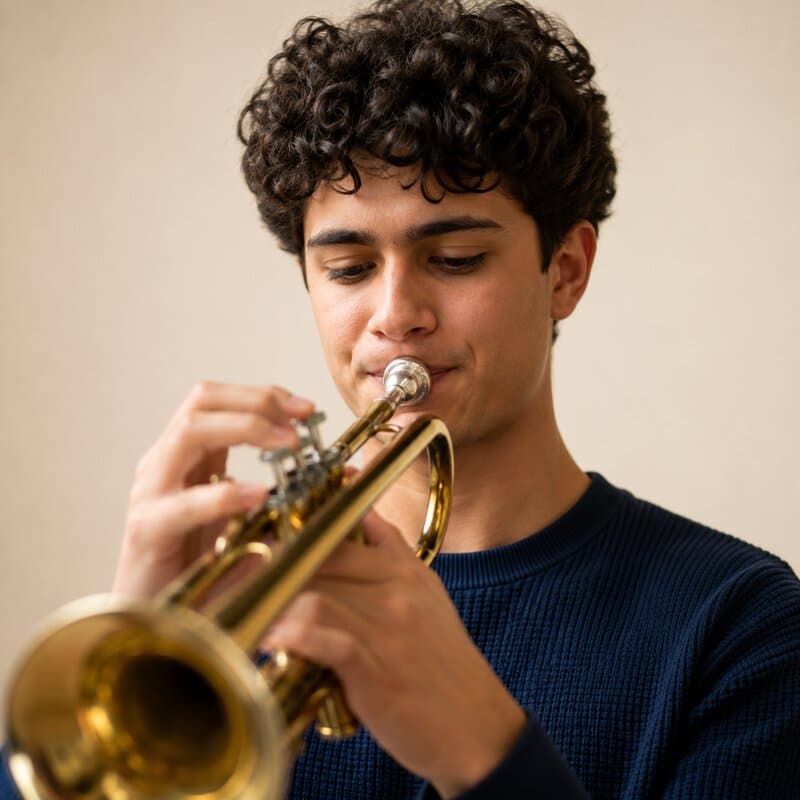
On your own
No teacher? It is still the whole product.
Nothing here waits for a teacher to switch on. The library, the practice log, the streak, the interactive scores, the tuner and the metronome all work on your own. Assignments are the one part that needs someone to set them, and nothing nudges you to go find that someone.
- You can work here for a year without an invitation from anyone.
- If you decide to study with someone later, they invite you, and you accept when you are ready.
- The pages below describe the teacher-connected half; skip them if that is not you yet.
Yours from the first login
- A practice log with a streak counted in your own time zone, and no mascot congratulating you.
- A library of pieces you can slow down and loop, plus the 54 public domain works that ship with it.
- A tuner and a metronome that behave like the hardware, in the browser.
The week
The whole assignment, in one place.
Not a subject line and a due date. The exercises as your teacher typed them, numbered, in order, with the target for the week at the bottom.
- It is still there on Thursday, when you have forgotten what step three said.
- The pieces it applies to are attached to it, so you are not hunting for the right edition.
- Progress on it is a slider, not a grade. You move it, and so can the teacher who set it.

The piece
The piece is right there, and it plays.
An interactive score is not a picture of the music. It plays back, it loops, and it slows down without the pitch sagging with it, which is the only kind of slow practice worth doing.
- Loop the two bars that are the real problem, instead of playing the whole page again and hoping.
- Take it to 60 percent and the notes are still the notes. Your ear is learning the right pitches at a speed your hands can follow.
- Hearing the piece before you can play it is not cheating. It is how you find out what you are aiming at.
Nothing loads until you ask for it, and nothing plays until you press play.
The log
Time spent playing counts itself.
Practicing from an interactive score in the app is already timed. When you stop, the session is one press away from being logged, with the piece already attached.
- The clock only runs while the score is actually playing, and it stops the moment you switch tabs. It is not counting the time the window was open.
- Under a minute nothing is logged. A practice log full of forty-second sessions is worse than an empty one.
- Everything else is a date, a number of minutes and a line of notes. About ten seconds, and the notes are optional.
Under the player
Practice time this session: 00:47
The clock runs while the score is playing and stops while the tab is hidden. Under a minute there is nothing worth logging, so the button stays off.
Streaks
A streak in your time zone. No badges, no mascot.
One number, counting the consecutive days you practiced. Nothing congratulates you, nothing guilts you, and nothing has an opinion about your weekend.
- Days are counted in the time zone on your profile, so a late session is the day you played it, not the day it was in London.
- Daylight saving does not eat a day. The math is done on calendar days rather than on twenty-four hour blocks.
- Miss two days and it says zero. It is a description of the last few days, not a score, and losing it costs you nothing.
- Log something you got wrong. The history is yours to edit, and a note like “stopped when it started getting worse instead of better” is worth more later than a tidy number.

Control
Your teacher sees your work because you said yes.
A teacher can invite you. That invitation gives them nothing at all until you accept it, and accepting is a decision you can reverse.
- A pending invitation shows you who sent it and what accepting would give them. Until you act on it, they cannot open anything of yours.
- Accepting covers your progress on the assignments they set, the notes thread on them, your practice logs, and any piece marked “my teachers only”.
- You can end an accepted relationship yourself, at any time, and their access ends with it.
- When you are ready to start, tell your teacher and they can send the invitation. Whether it turns into anything is still your call.
What an invitation grants
- Invitation pending
- Nothing. The row exists and confers no access at all.
- Accepted
- Assignment progress, the notes thread on those assignments, your practice logs, and pieces you marked for your teachers.
- Ended
- Nothing again, from the next read onward. Either side may end it.
Tools
A tuner and a metronome, already here.
Not a separate download, not a tab full of adverts. They are in the app, and they are on this site with no account at all.
- The tuner holds a note instead of flickering between two of them, because the browser’s voice-call processing is switched off and the reading is smoothed and locked before it is shown.
- What the microphone hears is analyzed in the page and then discarded. No audio is uploaded, recorded or stored.
- The metronome schedules each click ahead of time on the audio clock, so it stays honest while the rest of the page is busy.
The price
Free, with nothing to find later.
Worth being specific about, because free usually means something. Here is what it means here.
- It is free because there is no billing system, not because a price is waiting for you to get attached first.
- It is also new, and it is a small independent project. That is the trade, and you should know it before you put a term of practice into it.
- Your uploads stay yours. You decide who can open each piece, and deleting one removes the file.
What is not here
- No adverts, anywhere, of any kind.
- No card, no trial countdown, and no billing system behind either.
- No paid tier holding a feature you have already seen.
- No app to install. It runs in a browser.
- Nothing about you is sold, because there is nobody to sell it to.
Reasonable questions
Mostly about who can see what, which is the right thing to ask first.
Not until you accept their invitation. Accepting covers your progress on the assignments they set you, the notes thread on those assignments, your practice logs, and any piece you have marked “my teachers only”. The invitation screen names the practice logs, the progress and the shared music before you answer it; the notes thread comes with the assignments themselves. None of it covers your calendar, your other teachers, or anything you have kept private.
Declining ends it. Nothing of yours was visible while it was pending, so nothing is withdrawn. If you accepted and later want out, you can end the relationship yourself, without asking, and their access stops from that moment. They can send a fresh invitation afterwards, and you can ignore it.
No. The library, the practice log, the streak, the interactive scores, the tuner and the metronome all work on your own. Assignments are the one part that needs someone to set them.
No. There is no card, no trial clock, and no billing system to put one behind. There are also no ads, so nothing here is being paid for by showing you something.
No. It runs in a browser, including the tuner and the interactive scores. The tuner needs permission to use your microphone, and the audio it listens to never leaves your device.
Start with the piece you are working on.
Put one week in, see whether the log tells you anything. When you are ready, tell your teacher and they can send you an invitation; it gives them nothing until you accept it.